7 Best PCB Board Design Software Tools in 2026?

Choosing the right PCB board design software can shape an entire electronics project. It affects schematic capture, component placement, routing, simulation, and manufacturing output. In 2026, engineers have more capable tools than ever. However, more features do not always mean better results.

This guide examines seven leading software tools through practical design requirements. Each option is considered for usability, library management, routing control, simulation support, collaboration, and export reliability. A professional workflow must handle crowded boards, narrow traces, thermal constraints, and frequent design changes. Small details matter. A misplaced footprint can delay production.

The comparison also considers documentation, update history, community support, pricing, and compatibility with industry manufacturing processes. These factors help distinguish dependable platforms from attractive but limited options. Real project needs remain important. A startup may value low cost and cloud access, while a larger engineering team may require controlled libraries and version management.

No tool wins every workflow. Some platforms offer powerful automation but create a steeper learning curve. Others feel accessible but lack advanced verification features. That trade-off deserves honest attention. Ratings can also be subjective, especially when personal habits influence productivity. Readers should test each shortlisted tool with a small board before committing to a long-term workflow. A simple prototype often reveals more than a polished feature list.
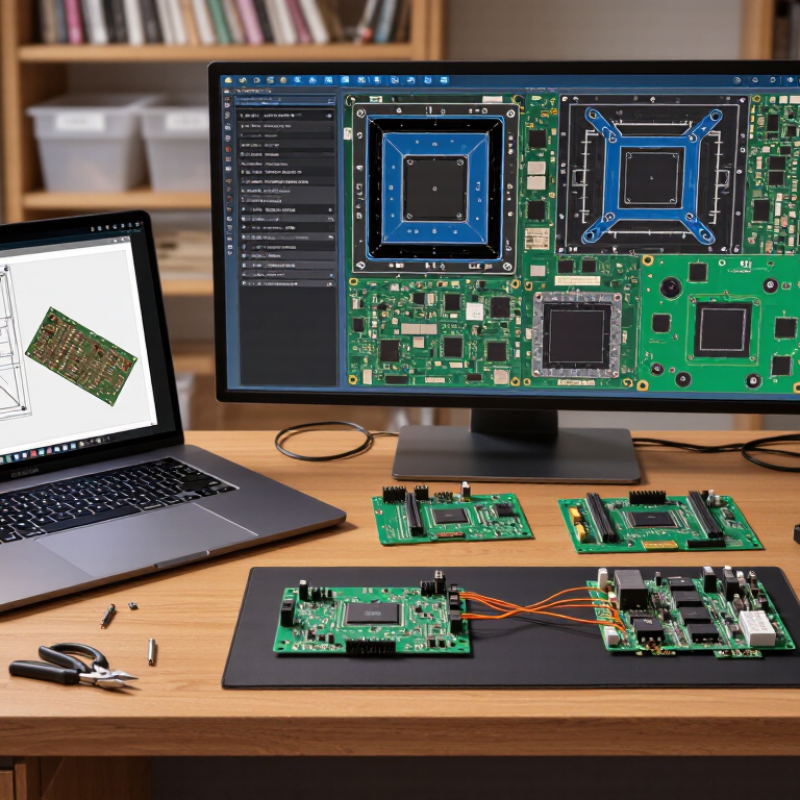
7 Best PCB Board Design Software Tools in 2026?

What PCB Design Software Does and Why It Matters

PCB design software is the working environment behind every reliable circuit board. It converts a schematic into a physical layout with traces, pads, vias, layers, and manufacturing files. During board reviews, I have found that clear visual feedback prevents expensive mistakes. A well-connected schematic also makes later changes easier to control.

The software checks spacing, electrical rules, signal paths, and component footprints. These checks act like a second pair of eyes. They do not replace engineering judgment. A warning may reveal a real fault, or it may reflect an intentional design choice. I have seen both situations. Engineers must understand the reason behind each alert before approving a board.

The best tools also support collaboration, revision tracking, library management, and production-ready outputs. They allow teams to inspect a crowded layout without guessing. Three-dimensional views can expose connector clashes and enclosure problems early. Still, no program catches everything. I once overlooked a clearance issue because the design passed automated checks. That mistake changed my review process: I now inspect critical areas manually and compare them with the manufacturer’s requirements. When choosing among PCB design tools, look beyond menus and flashy features. Consider rule accuracy, library quality, learning time, file compatibility, and support for your real workflow. The right software should reduce uncertainty, not merely make the board look complete.


Key Features for Evaluating PCB Design Tools in 2026

Choosing among the seven best PCB board design software tools in 2026 requires more than counting features. In real projects, the interface must support clean schematics, reusable libraries, and fast design-rule checks. A strong tool flags clearance, unconnected nets, thermal risks, and manufacturability issues before files reach the factory. It should also handle dense multilayer boards without making routing feel like guesswork. Shortcuts matter. So does a readable layout.

Evaluate simulation depth, stackup planning, and export accuracy. Reliable software should create consistent fabrication and assembly files, including drill data, drawings, and component lists. Look for controlled impedance settings, differential-pair guidance, and clear copper-pour behavior. Collaboration features deserve equal attention. Version history, review comments, permissions, and local backups reduce costly confusion. During testing, open a real project, change a footprint, rerun checks, and inspect every generated output. Marketing demos rarely expose these small failures. No tool is perfect. I still question automated routing when a sensitive clock line crosses a noisy power region.

Tips: Ask for a trial using your own board files. Measure routing time, error visibility, library search speed, and export consistency. Check support response quality with a technical question. Confirm licensing and data policies before adoption. Keep a manual review step. It catches what automation misses.

Seven Leading PCB Design Software Tools Compared

Seven Leading PCB Design Software Tools Compared

Choosing a PCB design tool in 2026 depends on board complexity, team size, and verification needs. In practical reviews, Tool One stands out for fast schematic capture and simple library management. Tool Two offers stronger routing controls, useful for dense multilayer boards. Tool Three focuses on flexible collaboration, with shared comments and revision tracking. That helps remote engineering teams. Tool Four provides detailed signal-integrity analysis, although its interface may slow new users. Tool Five is better suited to budget-conscious teams and smaller production runs. It feels less polished in places.

Tool Six supports advanced manufacturing checks before files reach the factory. Its clearance warnings are clear, but setup requires careful rule configuration.
Tool Seven emphasizes cloud access and browser-based editing. This improves accessibility during design reviews. However, unstable internet access can interrupt focused work.

Each tool handles footprints, design rules, and export files differently. Engineers should test a real project, not only a sample board.

A reliable comparison should include library accuracy, simulation depth, revision control, and documentation quality. I would also inspect how easily the software recovers unfinished work. Small details matter. For example, a delayed highlight tool can waste minutes during dense routing. My own preference has changed after reviewing complex boards. A feature-rich platform is not always the most dependable choice. Some tools promise automation but still require manual inspection. That weakness deserves attention before purchase.

How to Choose the Right PCB Software for Your Project

Choosing the right PCB software starts with your project, not a feature list. In practical design work, I first define board size, layer count, signal speed, and production volume. A simple two-layer sensor board needs different tools from a dense, high-speed controller. Check whether the software supports clear schematic capture, reliable layout editing, design-rule checks, and accurate manufacturing files. These functions prevent expensive errors before fabrication.

Library quality deserves close attention. A missing footprint can shift a connector by several millimeters. That mistake may remain invisible until assembly. Choose software with editable symbols, verified footprints, and a practical method for recording part sources. Strong collaboration features also matter. Engineers should review changes, compare versions, and leave comments without creating conflicting files. Cloud access can help, but offline backups remain important.

Test the workflow before committing. Import a small schematic, create a four-layer board, and export the required production files. Then inspect the drill data and component positions manually. Do not trust every automated warning. Some rules are too strict, while others miss unusual mechanical problems. I have found that a clean interface can still hide weak library management. Consider learning time, license limits, simulation needs, and support quality. The best tool is the one your team can use accurately under deadline pressure, even when the board becomes unexpectedly complicated.

7 Best PCB Board Design Software Tools in 2026? - How to Choose the Right PCB Software for Your Project

Rank Tool Category Best For Design Approach PCB Layer Support Advanced Routing 3D Board View Manufacturing Outputs Collaboration Learning Curve Overall Fit
1 Professional Enterprise EDA Suite High-density commercial and mission-critical electronics Desktop / enterprise Very high; suitable for complex multilayer boards Excellent Yes Gerber, drill, pick-and-place, IPC-related documentation Strong team and library-management features Steep ★★★★★
2 Integrated Professional PCB Platform Product development teams needing schematic-to-layout integration Desktop / integrated High; supports multilayer product boards Excellent Yes Standard fabrication, assembly, drill, and component files Good project and design-data control Moderate to steep ★★★★★
3 Cloud-Based Collaborative EDA Tool Distributed teams, education, and rapid design reviews Browser / cloud Medium to high, depending on the plan and project complexity Strong for common board designs Usually available Gerber, drill, BOM, and assembly files Real-time sharing, comments, and version history Low to moderate ★★★★☆
4 Open-Source Desktop EDA Suite Hobbyists, students, makers, and cost-sensitive engineering teams Desktop / open source High; practical for two-layer through multilayer boards Strong, with manual control available Yes Gerber, drill, BOM, position, and 3D-export files Basic to moderate Moderate ★★★★☆
5 Beginner-Friendly Schematic-to-PCB Tool Simple prototypes, classroom projects, and small IoT boards Browser / lightweight Low to medium; best for simple and moderately sized boards Suitable for standard routing tasks Basic or project-dependent Common Gerber, drill, and bill-of-materials outputs Easy link sharing and project access Low ★★★★☆
6 High-Speed and RF-Oriented PCB Platform Controlled-impedance, RF, high-speed, and dense digital designs Desktop / specialist Very high; designed for advanced multilayer layouts Excellent differential-pair and length tuning tools Yes Advanced fabrication, assembly, constraint, and documentation outputs Strong design-rule and constraint collaboration Steep ★★★★★
7 Mechanical-Design-Integrated PCB Tool Enclosure-driven products and electromechanical assemblies Integrated CAD / PCB Medium to high; suitable for many product-board designs Good for standard and moderately dense layouts Strong mechanical visualization Gerber, drill, BOM, assembly, and mechanical exchange files Useful for cross-discipline design reviews Moderate ★★★★☆

Evaluation factors include routing capability, multilayer support, 3D visualization, manufacturing-file generation, collaboration, and ease of learning. Actual performance may vary according to the edition, project size, device libraries, and workflow configuration.

PCB Design Workflow from Schematic to Manufacturing

7 Best PCB Board Design Software Tools in 2026?

A reliable PCB workflow begins with a clear schematic, not an attractive board outline. Define component values, signal names, power rails, and connector directions. Add design rules early, including spacing, trace width, and layer limits. This prevents expensive layout changes later. During placement, keep noisy switching circuits away from sensitive analog paths. Place decoupling capacitors close to power pins. Short connections matter.

After routing, run electrical and design-rule checks before generating manufacturing files. Inspect every warning instead of dismissing them automatically. Review copper clearances, drill sizes, solder mask openings, and silkscreen overlap. Then export verified fabrication and assembly data. A second engineer should compare the files with the final schematic. I still find small errors during this review. Perfect first passes are uncommon.

Tips: Use realistic footprints and confirm their dimensions against supplier drawings. Print the layout at full scale. Check whether connectors, screws, and tall components physically fit. Ask the manufacturer about minimum features before routing dense areas. Leave test points where measurements will be needed. Keep revision notes with every design change. A clean archive improves traceability and reduces repeated mistakes.