Top Tips for Choosing the Best Circuit Design Software?
Choosing the right circuit design software is crucial for engineers and designers. The global electronic design automation (EDA) market has seen rapid growth, projected to reach $16.22 billion by 2026. This highlights the importance of effective circuit design tools. With many options available, selecting the best software can be overwhelming.
Industry reports indicate that features like ease of use, collaboration tools, and simulation capabilities are vital. Engineers often struggle with software that lacks intuitive interfaces or robust support. According to a 2023 survey, 47% of users reported frustration with complex tools that hinder productivity. These insights reveal a pressing need for software that balances functionality with user experience.
The demand for circuit design software continues to rise. New technological advancements, including IoT and AI integrations, are reshaping the landscape. Designers must adapt to these changes, ensuring they choose software that aligns with their specific needs and project requirements. This decision can significantly impact workflow efficiency and project success.

Understanding Circuit Design Software: An Overview
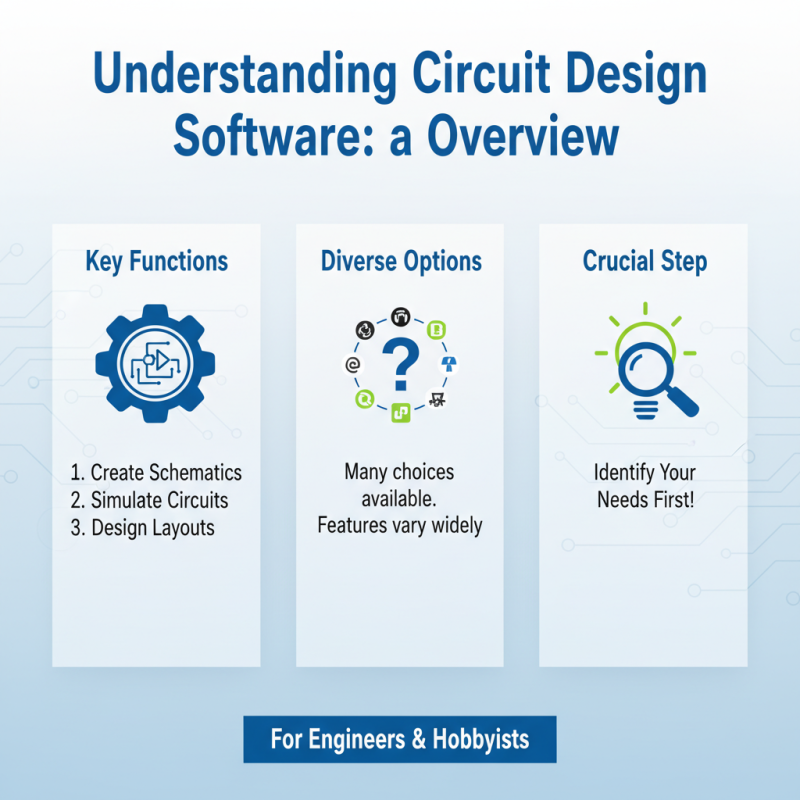
Understanding circuit design software is crucial for engineers and hobbyists. This software aids in creating schematics, simulating circuits, and designing layouts. Many options exist, making the choice overwhelming. Features and usability differ across programs. It's vital to identify your needs before diving in.
When choosing software, consider the learning curve. Some programs are user-friendly. Others require significant training. Think about what you need to accomplish. Do you need complex simulations? Simpler tools could be sufficient. Testing different options can reveal unexpected preferences.
Explore community feedback and reviews. Many users share insights on forums. Their experiences can guide your choice. Also, check compatibility with your hardware. Software may not work seamlessly with all devices. Take the time to reflect on your specific priorities. This step can save you from future frustrations.
Key Features to Look for in Circuit Design Software
When choosing circuit design software, focus on key features that enhance your experience. Look for intuitive user interfaces. A clean layout makes navigation easier. Flexibility is crucial. You should adapt the software to your project needs.
Additionally, simulation capabilities are vital. Real-time simulation helps you identify issues early. It saves time and reduces errors. Search for software that offers detailed analysis tools. These tools provide insights into your designs. Keep in mind that collaboration features matter too. Share your designs smoothly with your team.
On another note, remember to consider the learning curve. Some software might have steep learning requirements. That can lead to frustration. It's essential to read user reviews. They can highlight potential pitfalls and benefits. Don't overlook customer support. Good support can make all the difference when you're stuck. Think carefully before making a choice.
Comparing Different Types of Circuit Design Software
When comparing different types of circuit design software, it's essential to consider various features. Some tools excel in simulation, while others focus on layout design. According to a recent industry report, 45% of professionals prefer software with robust simulation capabilities. This indicates a strong market demand for accurate modeling.
Tips: Look for tools that offer real-time collaboration. This can improve teamwork and reduce errors. You should also check for user-friendly interfaces, as they enhance productivity. Ease of use can be just as important as advanced features.
Another point of consideration is compatibility. Some software integrates well with other engineering tools, while others do not. A survey indicated that 38% of users faced challenges due to compatibility issues. This highlights the need for thorough research before making a decision. Ensure your chosen software can seamlessly connect with your existing systems.
Evaluating customer support and the community around the software is equally vital. Engaging with user forums can provide insight into the tool’s effectiveness. A knowledgeable community can be a valuable resource for troubleshooting and tips.
Top Tips for Choosing the Best Circuit Design Software
| Software Type |
Key Features |
User Level |
Cost |
Best For |
| Schematic Capture |
Easy drawing tools, Simulation capabilities |
Beginner to Intermediate |
Free to $200 |
Small Projects, Hobbyists |
| PCB Design |
3D visualization, Design rule checks |
Intermediate to Advanced |
$500 to $3000 |
Professional Engineers, Complex Designs |
| Simulation Software |
Circuit simulation, Transient analysis |
Intermediate to Expert |
$100 to $1000 |
Testing Theories, Validation of Designs |
| Embedded Systems Design |
Microcontroller support, Code generation |
Advanced |
$1000 to $5000 |
Embedded Development, IoT Projects |
| RF Circuit Design |
High-frequency simulation, Impedance matching |
Advanced |
$2000 to $8000 |
Telecommunications, Aerospace Projects |
Evaluating User Experience and Support Options
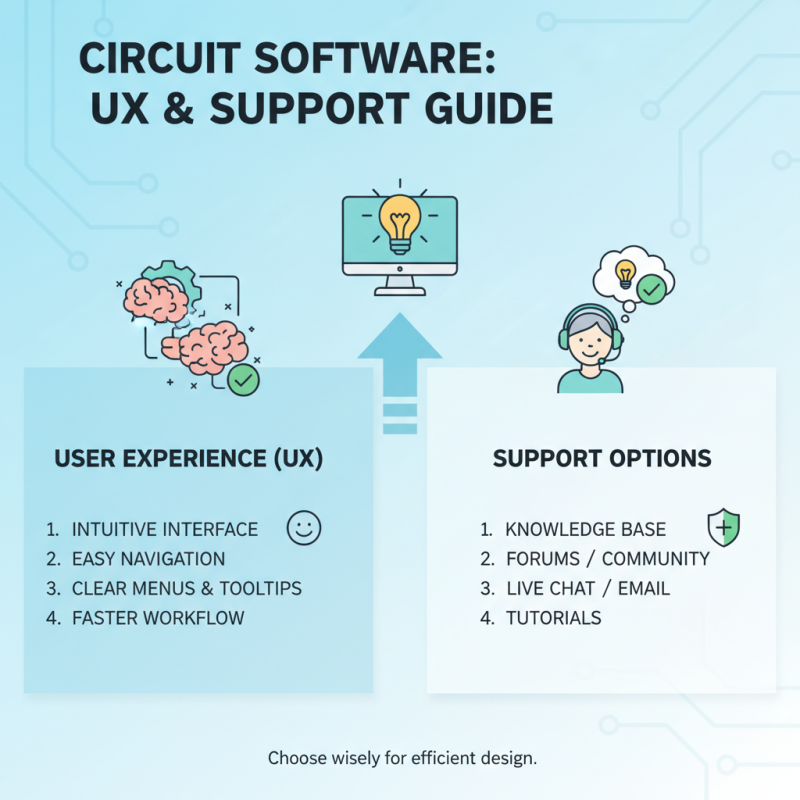
When choosing circuit design software, user experience is vital. A clean and intuitive interface can make a big difference. Users often prefer software that allows easy navigation. Complex systems can be frustrating, especially for beginners. Consider the layout. Clear menus and tooltips assist users in speeding up their workflow.
Support options also matter significantly. Good software should offer various support avenues. Users often rely on tutorials, forums, and customer service. Quick responses to queries help maintain productivity. Some software platforms fall short in this area, leaving users confused. Users often hesitate to invest in tools lacking solid support.
Another thing to evaluate is community involvement. An active user community can provide invaluable help. They share tips, insights, and troubleshooting advice. But, not all platforms have this active engagement. Sometimes, isolation from community can hinder progress and learning. Overall, ensuring both user experience and support options align with your needs is crucial for effective circuit design.
Budget Considerations for Circuit Design Software Selection
Selecting the right circuit design software is crucial for engineers. Budget considerations often shape this decision. A recent survey indicates that 40% of users prioritize cost over features. Understanding your budget can significantly impact your software choices.
When evaluating software options, consider the total cost of ownership. Licenses, support fees, and upgrades can add up. Some programs may appear inexpensive upfront but might lead to unexpected costs later. A poor choice can extend project timelines and inflate budgets.
Tip: Always calculate long-term expenses before committing. Do not overlook the trial versions. Free trials allow for hands-on experience. They help in identifying if the software fits your needs without financial pressure.
Another aspect to weigh seriously is the learning curve associated with new software. High-quality, user-friendly options are a must. If training time is extensive, project deadlines may be at risk. Your team must adopt the software quickly to stay on schedule. Prioritize those solutions that your team can easily master within your budget constraints.